A clipboard history app
for Apple Silicon Macs,
with Clipy snippet import.
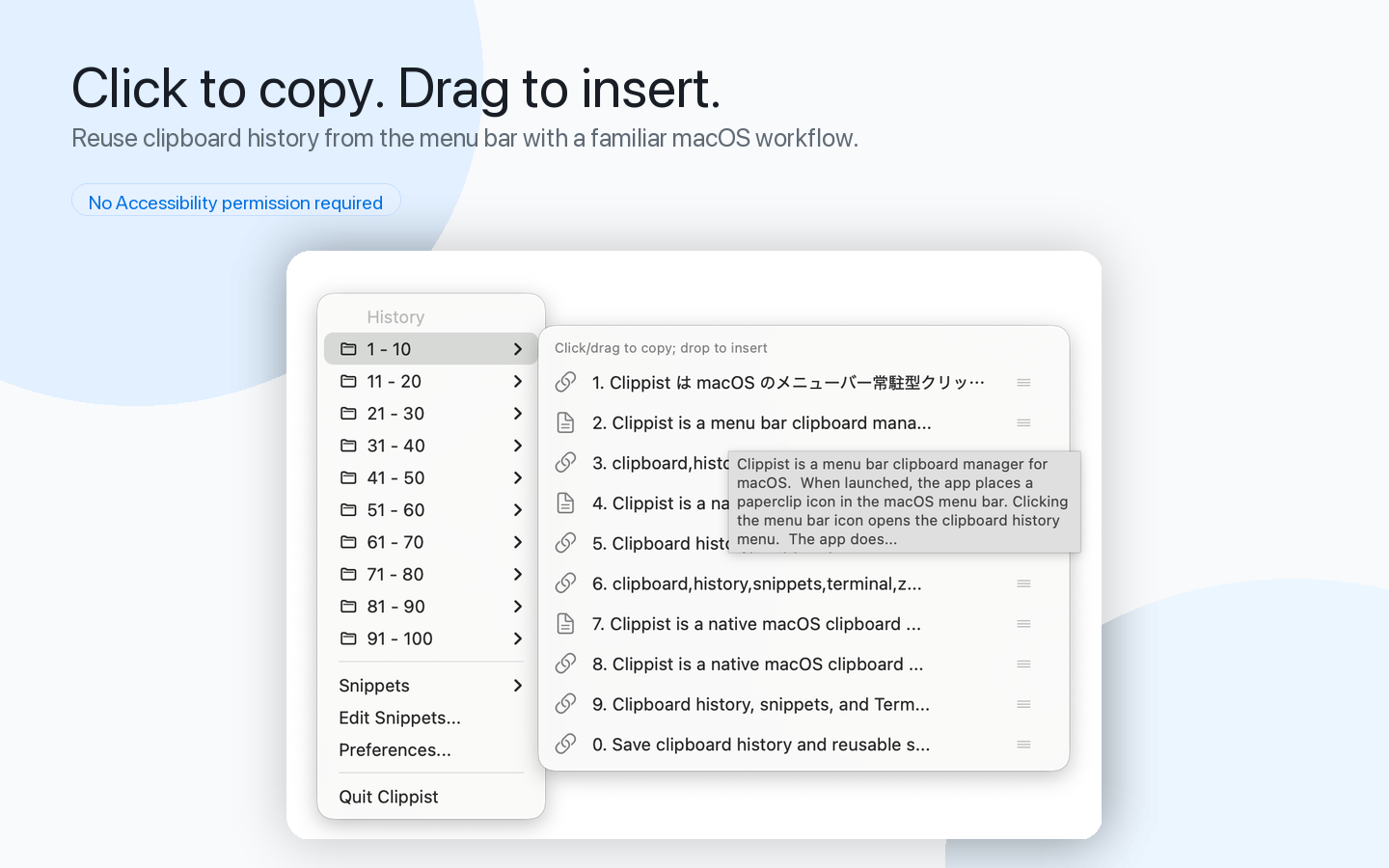
Supports clipboard history, snippets, images, and file references.
The BOOTH Edition can paste into the frontmost app when you click an item or press Enter.


Built for Apple Silicon Macs.
Made for former Clipy users.
Bring your Clipy snippets with you and move to an Apple Silicon-friendly clipboard app.
Keep using the text shortcuts you already rely on.
Now available on BOOTH
The App Store edition remains available, and the BOOTH Edition adds automatic paste. Updates for the BOOTH Edition are available from the BOOTH purchase page.
What you can do with Clippist
Clipboard History
Save copied text as history and quickly reuse it whenever you need it.
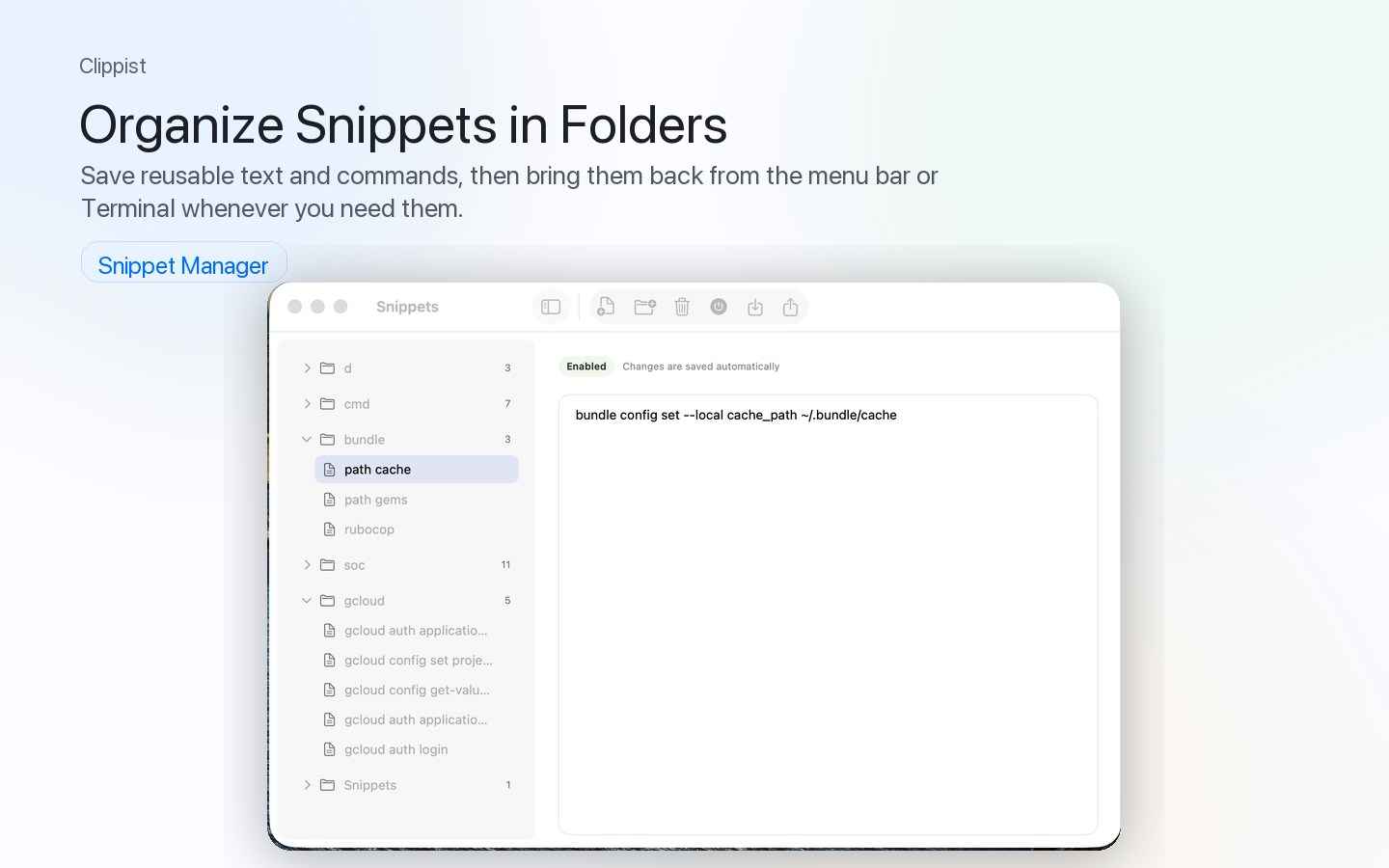
Snippets
Register frequently used text and insert it quickly.
Automatic Paste
The BOOTH Edition can paste selected history or snippets into the frontmost app automatically.
Clipy Snippet Import
Import snippets you previously used in Clipy.
Images and File References
Supports not only text, but also images and file references.
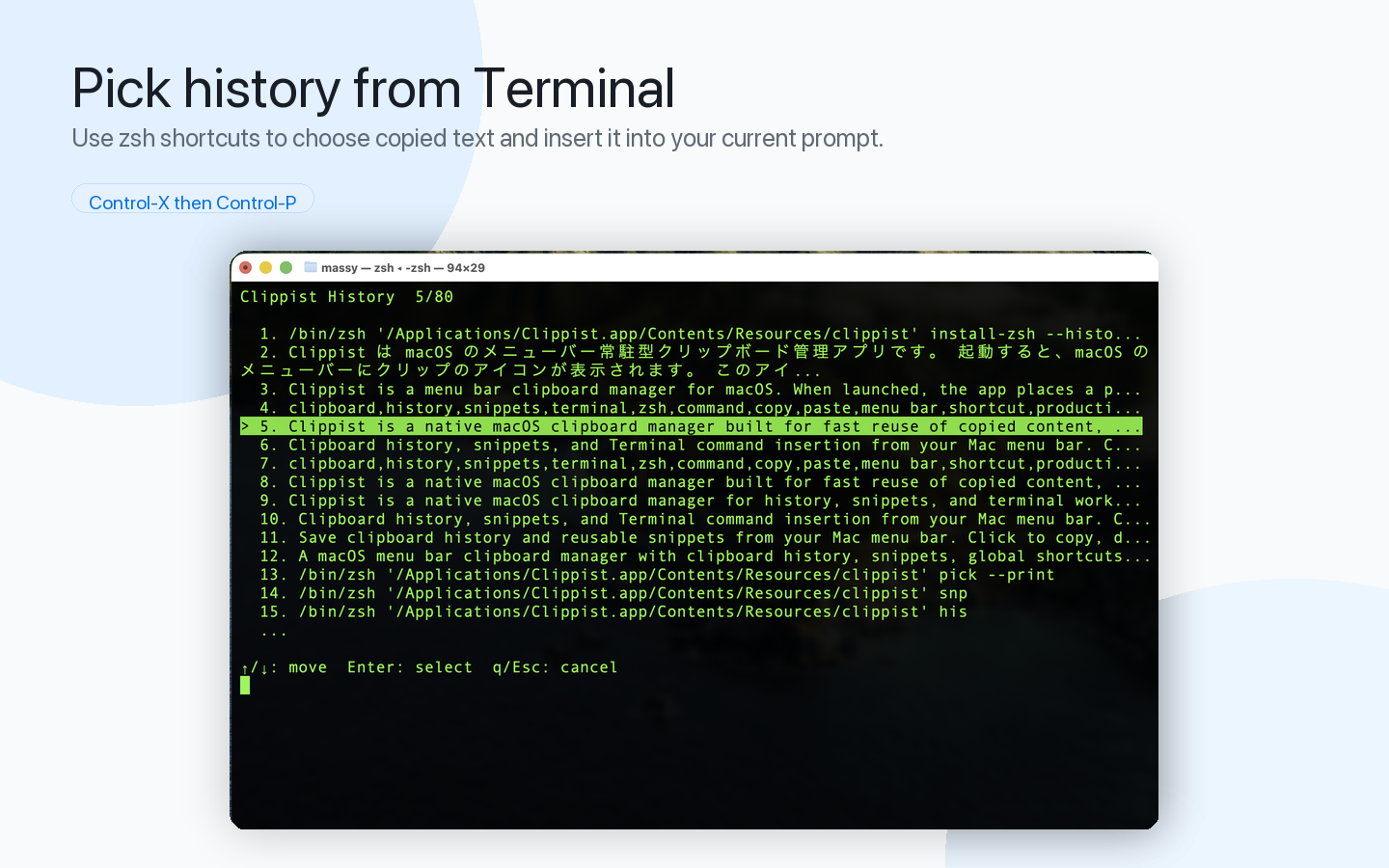
zsh Integration
Access clipboard history and snippets directly from the terminal.
Menu Bar App
Open Clippist quickly from the Mac menu bar whenever you need it.
Local-first Storage
Your history and snippets are stored on your Mac. No account or cloud sync required.
Migrating from Clipy is simple
You can import your existing Clipy snippets into Clippist.
Keep using your familiar text shortcuts while moving to an Apple Silicon-friendly clipboard app.
Access from the terminal
With zsh integration, you can access clipboard history and snippets directly from the terminal.
Useful for developer workflows and repeated text input.
Organize snippets in folders
Save frequently used text and commands. Access them from the menu bar or terminal.
Your data stays on your Mac
Your clipboard history and snippets are stored locally on your Mac.
No account or cloud sync is required.
Clippist is designed for people who want to manage everyday text locally.
FAQ
Yes. You can import snippet data from Clipy.
Yes. On first launch, the BOOTH Edition migrates history and snippets from the App Store edition's storage location. Existing BOOTH Edition data is not overwritten.
Automatic paste requires macOS Accessibility permission. Without that permission, selected history and snippets are still copied to the clipboard.
The latest BOOTH Edition is available from the BOOTH purchase page.
Yes. Clippist supports Apple Silicon Macs.
No. Clipboard history and snippets are stored locally on your Mac.
No. Clippist is a one-time purchase app.
No. You can use Clippist as a regular clipboard history app.
Move from Clipy to Clippist.
Get an Apple Silicon-friendly clipboard history app from the App Store or BOOTH.